
Why Product Data Enrichment Is the Missing Layer Behind Great Recommendations
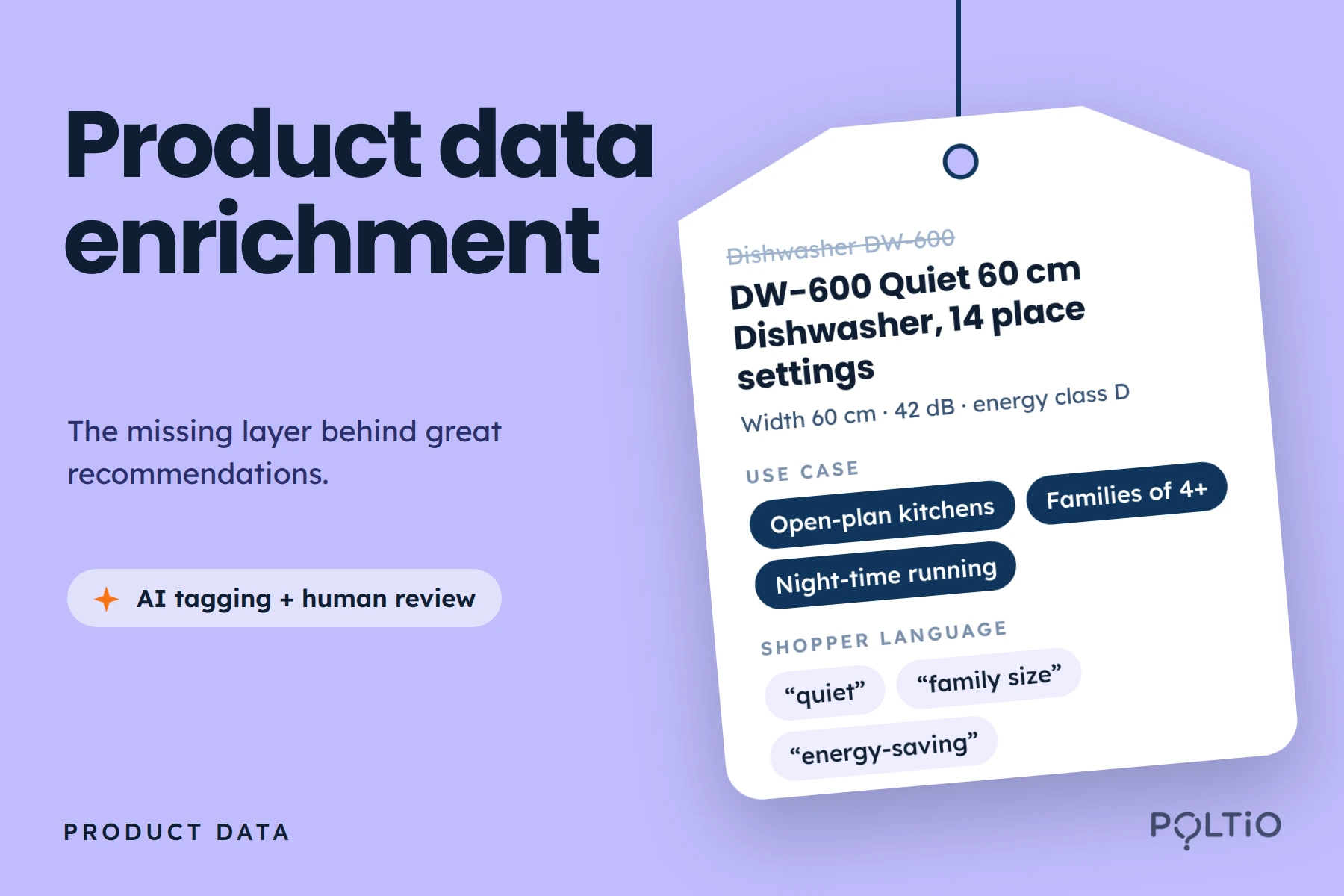
A recommendation engine is only as smart as your catalog.
If your product data says “Blue shirt, cotton, M”, no AI in the world can answer “What should I wear to a summer wedding?” It doesn’t know the shirt is linen-blend, breathable, smart-casual and pairs with chinos. That knowledge lives in your merchandisers’ heads, not in your data.
Quick answer: Product data enrichment is the process of adding missing, more detailed and more useful information to product listings, such as attributes, use cases, materials, compatibility and style tags, so that search, filters, recommendation engines and AI shopping assistants can match products to what shoppers actually need. It often combines AI-based automated product tagging with human review.
Why thin product data breaks product discovery
Every discovery tool reads the same product data. When that data is thin, all of them fail in the same way:
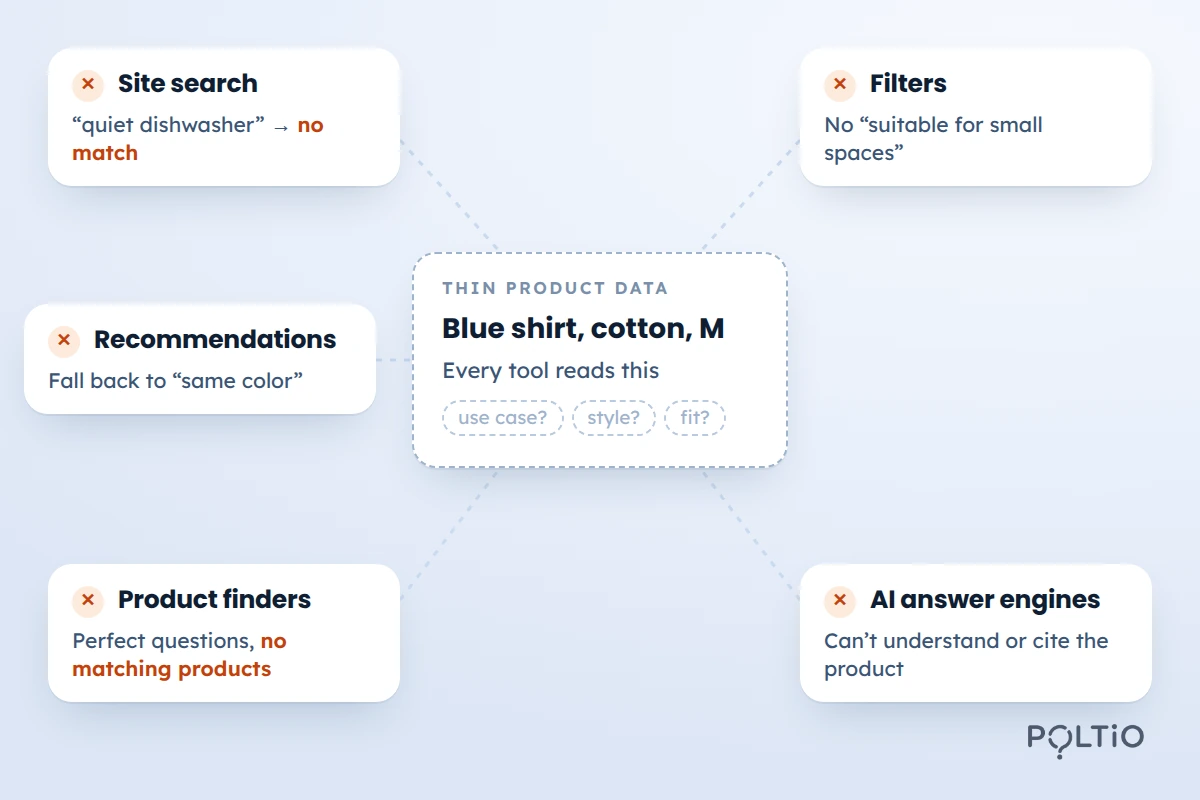
- Site search can’t match “quiet dishwasher” if noise level isn’t an attribute.
- Filters can’t offer “suitable for small spaces” if dimensions aren’t structured.
- Recommendation engines fall back to “similar color” or “same brand” because that’s all they can compare.
- Product finders and AI shopping assistants can ask perfect questions, but can’t match the answers to products that aren’t tagged.
- AI answer engines like ChatGPT and Google’s AI Overviews rely on structured, descriptive product information to understand and cite products.
The symptom is familiar: recommendations that are technically “related” but useless, search results that miss obvious matches and quizzes that end in “No matching products”.
Raw vs. enriched product data: an example
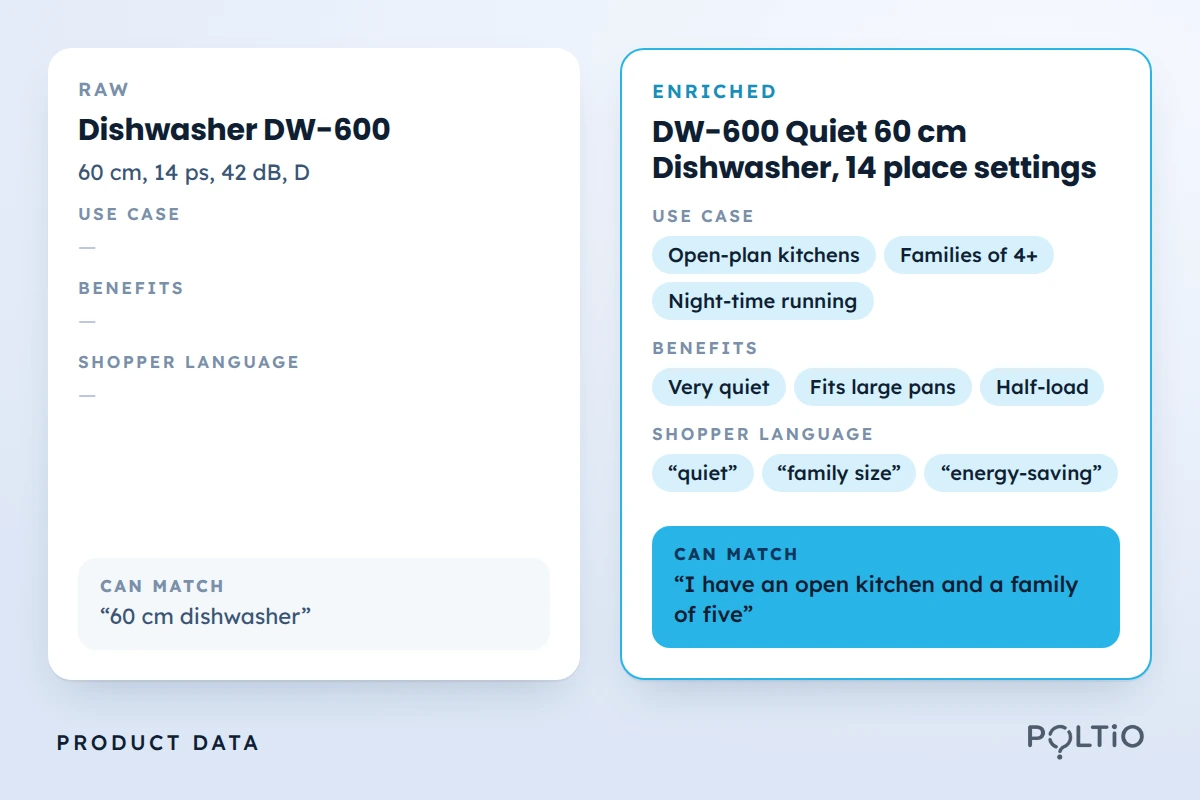
The raw version works for a shopper who types the model number. The enriched version works for everyone else.
What does enrichment add?
- Complete core attributes: size, material, color, weight and technical specs, all structured and consistent.
- Use-case attributes: who it’s for, when and where it’s used, and the problems it solves.
- Shopper-language tags: the words customers use (“cosy”, “beginner-friendly”, “travel-size”), not only the words engineers use.
- Relationship data: compatible accessories, bundles, replacements and upgrades.
- Normalized values: “Navy”, “navy blue” and “dark blue” mapped to one value.

Automated product tagging with AI: how it works
Automated product tagging uses AI to read product titles, descriptions, specifications and images, and generate structured attributes and tags at scale. What would take a merchandising team weeks for a 10,000-product catalog can be drafted in hours.
Typical AI tagging tasks:
- Extracting attributes from text: reading “made from 100% merino wool” and setting material = merino wool.
- Classifying from images: detecting neckline, pattern, style or room type.
- Generating use-case tags: inferring “good for hiking” from waterproofing, grip and weight.
- Normalizing values across suppliers with different naming.
Where AI tagging fails
AI tagging is fast but not flawless. Watch for:
- Confident guesses on missing information. If the description never mentions noise level, the AI shouldn’t invent one.
- Brand-specific meaning. “Comfort fit” means different things at different brands.
- Regulated or safety attributes (age ratings, allergens, certifications) that must be verified by a person.
The practical approach: let AI draft tags across the whole catalog, then have people review the top-selling 20% and every safety-related attribute.

Mapping enriched attributes to shopper questions
Enrichment pays off most when it’s designed backwards from the questions shoppers answer. Start from the question, then check the data can answer it:

If an attribute in the right-hand column doesn’t exist in your catalog, that’s your enrichment backlog. This is how Poltio approaches guided selling: flows are built from the questions shoppers can answer, and matched to the attributes your catalog holds, which makes it clear which gaps to close first.
A 5-step product data enrichment checklist

- 1. Audit your top sellers. Export your top 20% of products by revenue and score each on completeness: title, description, images, core attributes and use-case attributes.
- 2. Define your attribute model. List the attributes each category needs, including use-case and shopper-language tags, with allowed values.
- 3. Run AI tagging across the catalog. Generate draft attributes and tags for every product.
- 4. Review what matters most. Have people check top sellers, safety-related attributes and anything AI flagged as low confidence.
- 5. Test with real questions. Run your product finder, search and recommendations against the 20 most common shopper questions. Every “no result” or poor match points to the next enrichment task.
Repeat the cycle each quarter and before peak seasons such as Black Friday. New products, suppliers and shopper language change faster than most catalogs do.
Frequently asked questions
What is product data enrichment?
Product data enrichment is the process of improving product information by adding missing attributes, use cases, benefits, compatibility and shopper-friendly tags, so products are easier to find, filter, recommend and understand.
What is automated product tagging?
Automated product tagging uses AI to read product text and images and assign structured attributes and tags automatically, usually followed by human review for important products and attributes.
How does product data affect recommendations?
Recommendation engines and AI shopping assistants match shoppers to products using product attributes. Missing or inconsistent attributes lead to generic or wrong recommendations, no matter how good the algorithm is.
Is product data enrichment the same as PIM?
No. A PIM (product information management) system stores and manages product data. Enrichment is the work of improving that data. Enriched data is typically stored in a PIM and fed to your store, search and recommendation tools.
How does enrichment help with AI search visibility?
AI answer engines and shopping assistants rely on clear, structured product information. Descriptive attributes and use cases make it easier for them to understand what a product is for and when to recommend it.
See how your catalog answers real shopper questions. Book a Poltio demo and we’ll map your products to a guided selling flow, or try the demo store.
Related reading: Ecommerce Recommendation Engine Buyer’s Guide · Preparing Your Store for BFCM · What Is a Guided Selling Platform?